Lower Thirds
Ready-to-use lower thirds for DaVinci Resolve, drag, drop, and title in seconds.
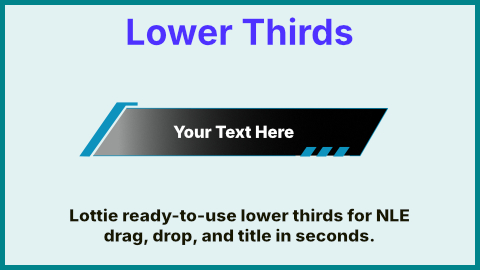
Add Ready-to-use Lower Thirds in DaVinci Resolve
Streamline your titling workflow with ready-to-use animated graphics. Whether introducing interview guests, labeling locations, or adding branded context, these lightweight Fusion-ready assets help you build clean, professional title cards in seconds without bogging down your timeline.
What Are Lower Thirds?
A lower third is a graphical text overlay positioned in the lower area of the screen—traditionally within the bottom safe margin. Primarily used in documentaries, interviews, podcasts, and broadcast presentations, lower thirds display essential viewer information like a speaker's name, title, organization, or social handle without obstructing the subject's face or main action.
How to Use Them
- Check the reference sheet to choose the graphic style number you want.
- Drag the corresponding file directly into your Media Pool or Fusion page and let it load.
- For maximum playback performance and instant caching, convert heavy files to OGraf using our free converter at dailyrushes.store/lottie-to-ograf.
- In the Fusion page, add one or two Text+ nodes and connect them between your graphic node and the MediaOut node.
- Enter your text and align it inside the graphic layout.
- Switch back to the Edit page to reposition or rescale the finished overlay anywhere in your frame.
Download
Enter your name and email and we'll send you the download link.